Writing a Tailscale native app with tsnet
This week I finally got an opportunity to sit down and play around with the tsnet library from Tailscale. I used it to build a demo application called TSHelp. This is a short write up of what I built and learned.
What is tsnet?
Lets start with the description from Tailscale's documentation.
tsnetis a library that lets you embed Tailscale inside a Go program. Withtsnet, you can programmatically make direct connections to devices on your Tailscale network (known as a tailnet), just like any other device in your tailnet would.
Essentially, it's a Go package born out of the Tailscale client open source code. Tailscale use it themselves to build new products and features, so it is as fully-featured as it gets.
The primary use case is being able to open a listener on the tailnet to service requests (like a http server, for example). Although it also comes with a number of other tools as well.
Native Tailscale applications
With tsnet, it is possible to build a program which directly connects to a tailnet. No need to install the tailscaled daemon/cli and proxy traffic through, you just setup a listener in your code and connect it to whatever you want.
This means you can deploy the application onto an environment that has no pre-existing knowledge of Tailscale, run the app, and have it connect straight through without additional dependencies.
TSHelp
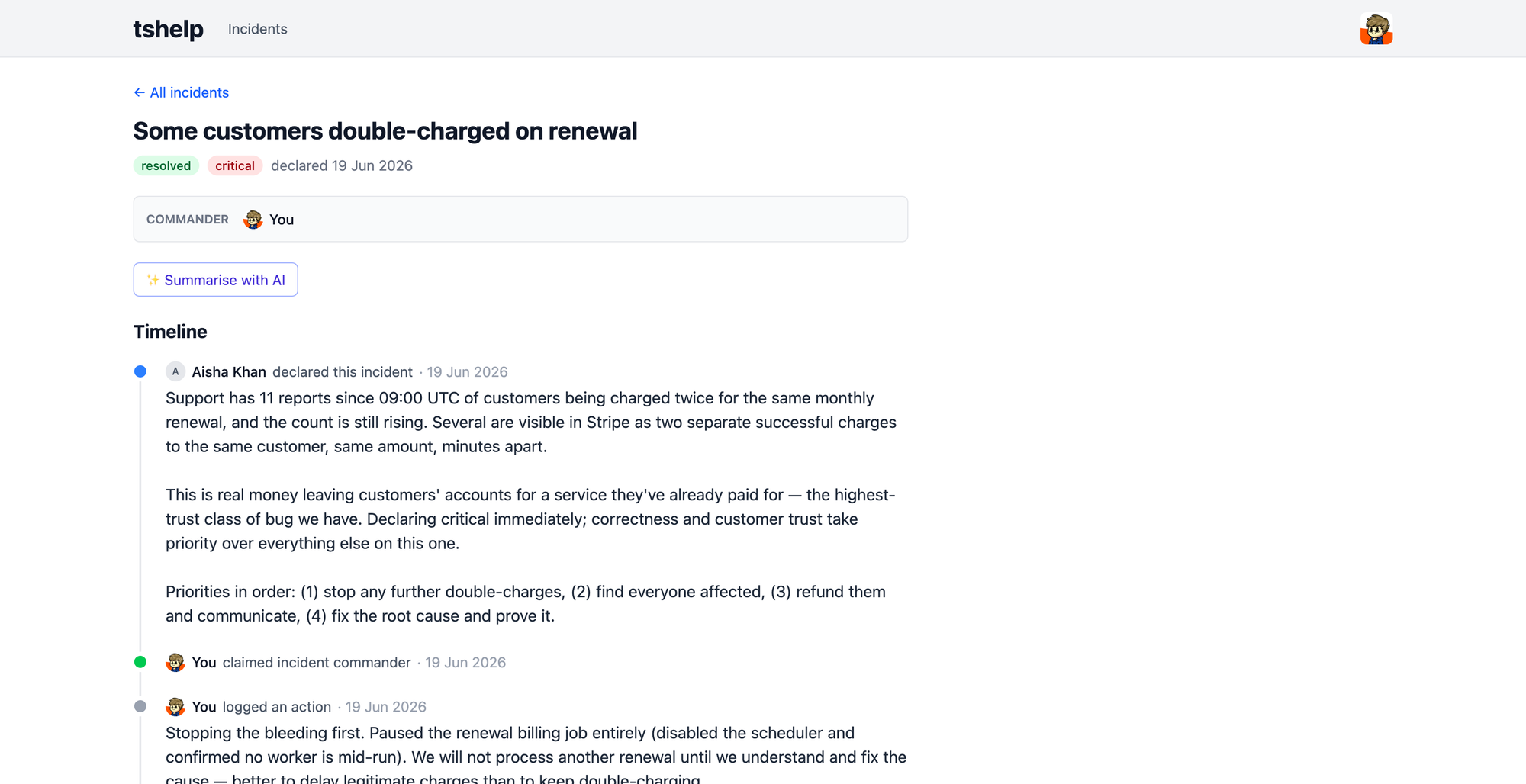
To test it out I built a small incident response tool called TSHelp. It connects directly to a tailnet, and uses that for identity and permissions. No login screen, it just knows who you are and whether you have access.
The application itself isn't much to write about, it very simply lets a user declare an incident, allows others to post updates to it, and eventually for it to be marked as resolved. However, it serves as a useful example of how tsnet works and how easy it is to build into a Go program.
When the application boots, rather than listening on port 443 of a public interface, or localhost with a reverse proxy, it sets up a listener directly onto the Tailnet. That listener passes traffic through to the applications HTTP stack, and everything else works like any other web application.
Identity, Auth, and Permissions
This is the real value behind tsnet for an application like this. Because the traffic is coming over the tailnet, we can use tsnet to check the identity of the caller. This means we can offer auth without any login screen. We just take the RemoteAddr and pass it to WhoIs and then we get back the id, username, display name, and avatar url. In TSHelp I'm upserting this on each request to keep the data fresh.
If we don't want someone to have access to the application, we can use grants to make sure they can't even reach the service on the tailnet.
Here's an example of the identify function, ripped straight from the code.
func (t *TailscaleResolver) Identify(ctx context.Context, remoteAddr string) (Identity, error) {
	who, err := t.lc.WhoIs(ctx, remoteAddr)
	if err != nil {
		return Identity{}, fmt.Errorf("whois %s: %w", remoteAddr, err)
	}
	return identityFromWhoIs(who)
}
But wait - there's more! We don't just get identity, we can also use App Capabilities to handle permissions as well.
In TSHelp there is just support for a simple read and write permission, here's what the grant looks like.
"grants": [
  {
    "src": ["autogroup:member"],
    "dst": ["tag:tshelp", "svc:tshelp"],
    "ip": ["*"],
    "app": {
      "elliotblackburn.com/cap/tshelp": [{"role": "write"}]
    }
  }
]
As you can see, it's just an extra "app" block on the grant which defines the capabilities. The capability map comes back to us as part of the WhoIs call as well, so this means we just need to parse the JSON and we know what permissions the user has over our application.
unc identityFromWhoIs(who *apitype.WhoIsResponse) (Identity, error) {
	if who.Node.IsTagged() {
		return Identity{}, errTaggedNode
	}

    // Grab the CapMap - which is the capabilities attached to the callers WhoIs response.
	rules, err := tailcfg.UnmarshalCapJSON[capRule](who.CapMap, capName)
	if err != nil {
		return Identity{}, fmt.Errorf("parsing %s capability: %w", capName, err)
	}
	role := RoleNone
	for _, rule := range rules {
		switch rule.Role {
		case "write":
			role = max(role, RoleWrite)
		case "read":
			role = max(role, RoleRead)
		}
	}

	return Identity{
		ID:        int64(who.UserProfile.ID),
		Login:     who.UserProfile.LoginName,
		Display:   who.UserProfile.DisplayName,
		Role:      role,
		AvatarURL: who.UserProfile.ProfilePicURL,
	}, nil
}
I've not tried to see how this would work for tagged nodes trying to access the application. I suspect app capabilities either wouldn't work, or the form of the WhoIs response would be a bit different.
Services vs Node
Historically the only way to do this has been to use a direct Listen / ListenTLS against the tsnet library. This registers the program as node on the tailnet and lets it consume tcp or udp traffic.
In Feburary 2026, Tailscale released Services. Services allow multiple nodes to be accessed from a single stable hostname with some simple load balancing. This means you can have "tshelp-01", "tshelp-02", and "tshelp-03" on your tailnet. Users will still only ever have to visit https://tshelp.{tailnet}.ts.net, even as the underlying nodes come in and out of service. This is useful for horizontal scaling, and rolling deployments.
It comes with a couple of downsides though, the main being that the ListenService call uses the exact same approach as the tailscale serve command. As a result, it actually creates an intermediate proxy http service. This has two practical implications to keep in mind.
- The
RemoteAddrwill be the IP of the forwarding proxy, not the user. This means you can't do a directWhoIslookup on that address. Instead you'll need to rely on theX-Forwarded-Forheader that the Serve stack provides. If you don't need the full WhoIs information, you can also use theTailscale-Userheader, but that only provides the username, not their id. - Because we have a proxy server running, it's possible that another program on the localhost could pass traffic directly to your application and spoof the headers. Because your application is trusting them, that's an open attack path. This means you'll need to apply the same sort of security that you would if you were running something like an nginx reverse proxy, ensuring nothing else can get to the port you're running the application, be that local or external.
Because of the tradeoffs, and because this is mostly a learning exercise - TSHelp supports both the traditional node mode, and service mode.
It gets out of your way
Aside from the choices you need to make, the actual setup of tsnet is incredibly easy. It doesn't attempt to handle the whole HTTP stack for you, so it's no where near a framework - instead it just handles the connection to the tailnet. You can pipe it onto anything you want afterwards.
You don't need to worry about how tsnet handles http, because it's just sending the traffic onto your http handlers. The entire http stack is yours.
You can see this in the main.go of TSHelp, we handle all the tailnet configuration there. Afterwards we bootstrap our applications server and the rest of the application is oblivious to tailnet.
A side note on Aperture
Given how quick it was to put this together, I couldn't resist also using this as a chance to try out Aperture. Honestly, there's very little to say here - it just works. I had to configure grants on both sides and wire up some API keys in Aperture. After that, I could start making API calls to the completion endpoints without an issue.
Okay that's a small lie, I hit some 500 errors when using the GoLang OpenAI module. I think it was setting an API key header despite not having one to provide and Aperture was getting upset about it. I switched to making my own HTTP calls and everything worked just fine.
Can I use this in production?
Yes, but you shouldn't. This is a demo project, it has very few features, and it's not built for scale. In particular, it only supports sqlite at the moment meaning you'd struggle to scale it across multiple nodes for high availability. It wouldn't be difficult to switch this out for postgres, but it would need some code changes and better management of database migrations. Also, the UX isn't good.
However, you absolutely can use this as another example of how to build your own native tailnet application.
Member discussion