Organising my job search
There's a particular kind of spreadsheet that only job seekers make. Columns for company name, role title, date applied, salary range, a link to the listing — all optimistic and tidy at first. Then the first rejection comes back and you add a Status column. Then a second opportunity. Then a third. Before long you're colour-coding cells and it all gets a bit out of hand.
At the start of this year, I needed a new job. Not urgently — I had a few months left in my current role and three months of savings behind me — but the clock was running. I did what most people do: activated LinkedIn Premium's free trial, set myself to Open to Work, and started working through job boards.
I'm lucky. 957,000 young people in the UK are unemployed. I'm not young any more, I had a runway and a professional network. That didn't make the process feel less overwhelming, but it did make me slightly less inclined to moan about it.
In previous job searches, I'd kept tabs on one or two things at once. This time I had half a dozen opportunities in play simultaneously: some at the application stage, one in interviews, a couple I'd just discovered and hadn't acted on yet. My spreadsheet expanded, and then unravelled. There was nowhere sensible to put notes about the people I'd spoken to, or the research I'd done into the company's recent history, or the overly vague salary range. I tried splitting things into a separate document but then I had two things to update and they drifted apart immediately.
I also wanted to keep my wife in the loop — not for accountability, but because she had useful instincts about roles and companies and I trusted her read on things. Getting her into a sprawling spreadsheet was a non-starter.
I wanted something better, and I did not want to write another cover letter. So on the shoulders of procrastination I built Trellum instead.
What Trellum is
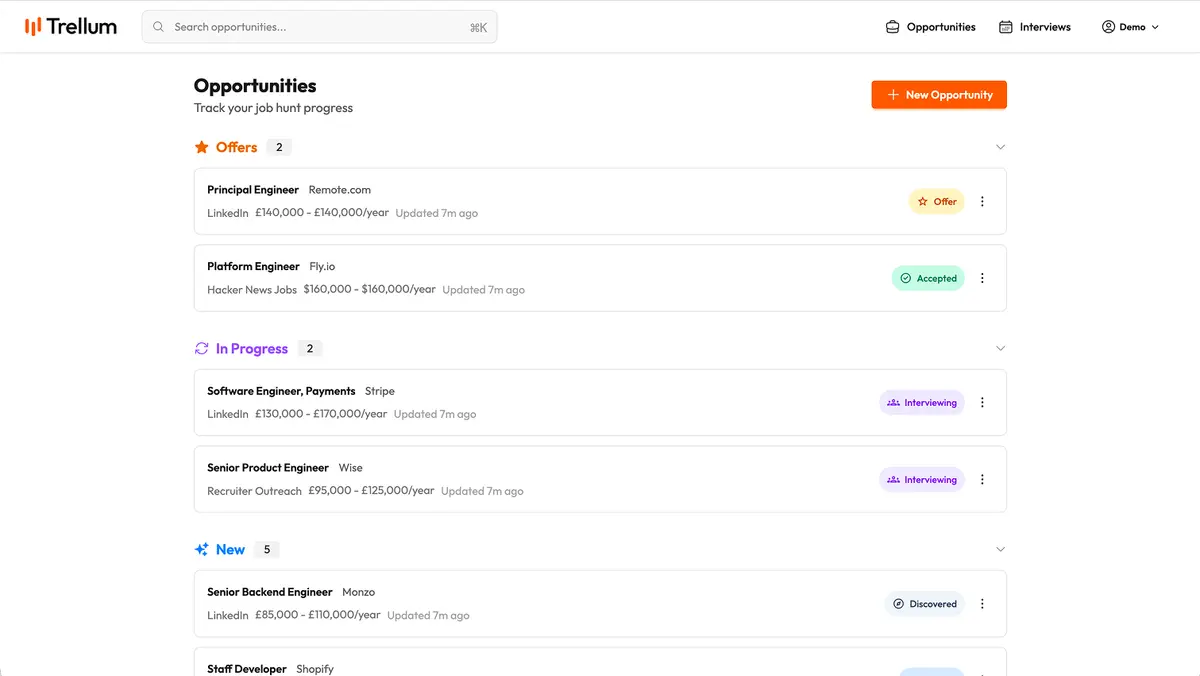
Trellum is a job opportunity tracker. Not a job board, not a big "platform", just a tool to keep your search organised. You add opportunities, track their status, take notes, and stay on top of what needs to happen next.
Status is the core of it. An opportunity moves through a pipeline: Discovered → Applied → Interviewing → Offer, with the option to mark things as accepted, rejected, withdrawn, or declined when they reach their natural end. At a glance you can see where everything stands without hunting through a sheet or trying to remember whether you emailed the recruiter back.
The notes problem is solved by having a markdown compatible free text field where you can write to your hearts content. There's also a separate "Company Information" field which is for that long-lived research that you want to quickly reference during interviews.
The notes problem is solved by having two distinct places to put things. General notes for anything you want to capture as you go — your gut reaction to the role description, things to ask at interview, reminders to yourself. Company info for company-specific context that you've actively looked up and want to keep separate from the running commentary.
Salary lives here too. Min, max, currency, whether that's yearly or daily rate. That replaces the messy representation you end up with in a spreadsheet. Later on I plan to use this to make an easy comparison feature as well, but lets not get ahead of ourselves.
Contacts and interviews
Job searching involves a lot of people. Recruiters, hiring managers, potential future colleagues who appear in first-round calls. Trellum lets you track contacts against each opportunity — name, role, email, notes — so when the recruiter rings you unexpectedly you're not scrambling to remember which agency they were from.
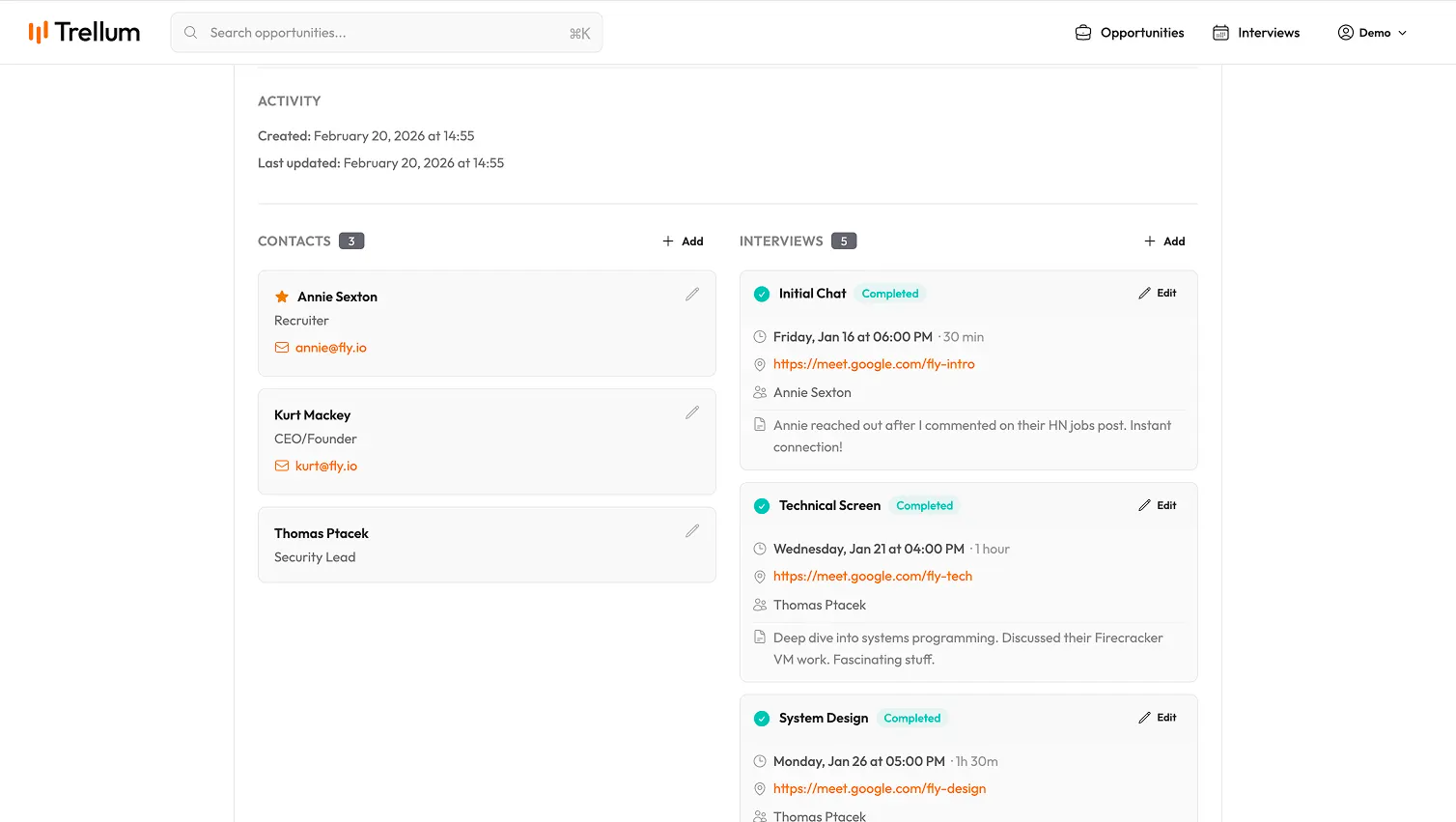
Interviews get their own section. You can log the date, time, duration, format, and participants, and add notes afterwards. There's an ICS calendar feed you can subscribe to in whatever calendar app you use, so you don't have two places to keep up to date. There's still a slight problem here in that interview invites are often sent by the company, but this hasn't been a problem for me so far. If you've got an ideas for how you'd like this to work, I'd love to hear!
Next steps
The bit I use most is the Next Steps section on the home screen. Trellum looks across all your active opportunities and surfaces what actually needs attention. Upcoming interviews get flagged. Interviews you've had recently but haven't written notes for get flagged. Opportunities you've found but haven't applied to after a few weeks get a nudge. Applications that have gone quiet get a check-in reminder.
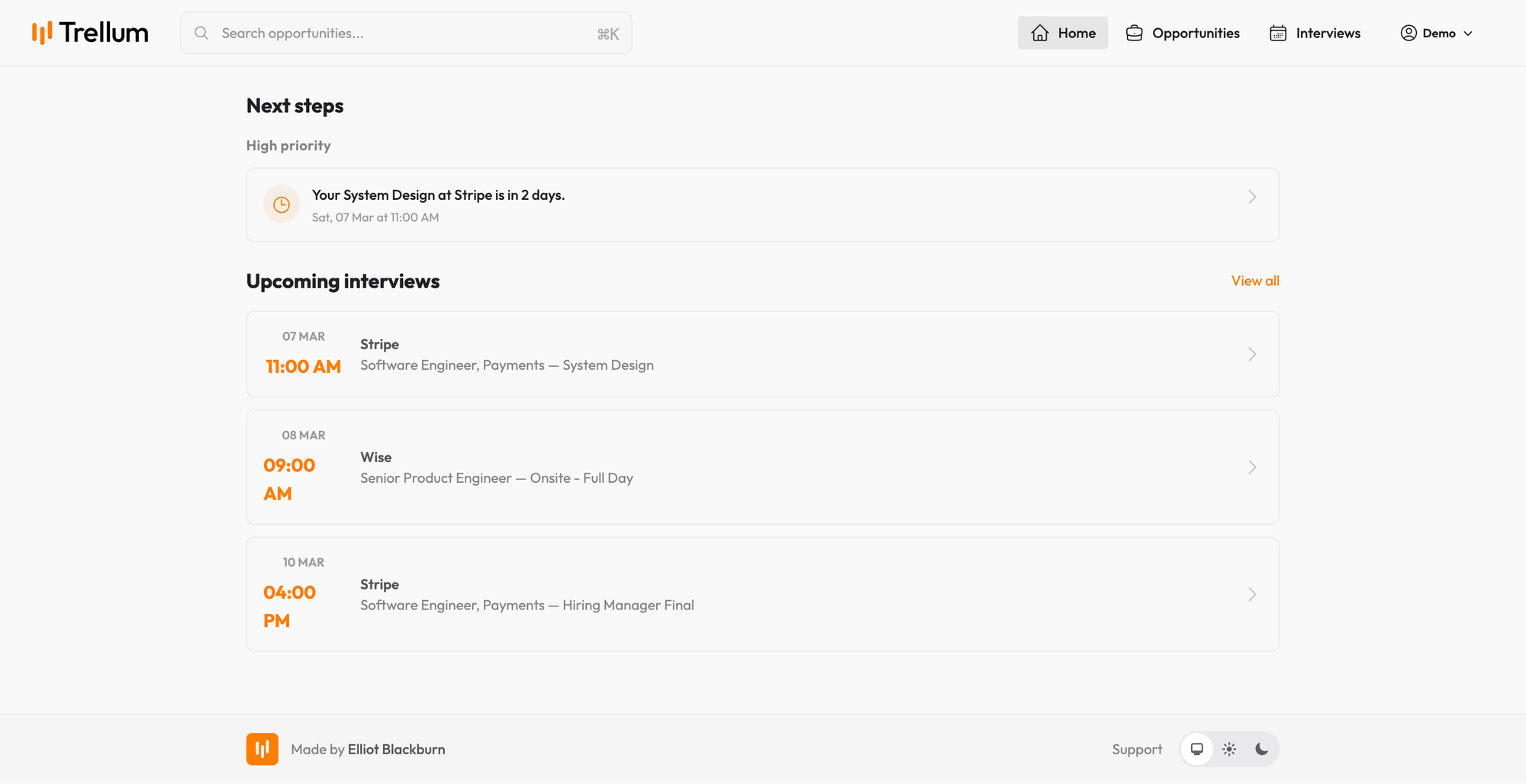
It's not clever, doesn't use AI, and is just enough to mean I stopped dropping things. When you're managing half a dozen opportunities at once across different stages, it's surprisingly easy to let something fall through the gap because you're focused on a technical interview tomorrow and forgot to write up your thoughts after a first-stage screening call.
Sharing
You can generate a shareable link, either for the full list of opportunities or for an individual one, and hand it to whoever you want in the loop. Read-only, no account required. My wife could see where everything stood from her phone without having to navigate a spreadsheet that only made sense to me.
AI, if you want it
Trellum exposes an MCP with OAuth which tools like Claude and ChatGPT can use to hook into your account data. It's completely optional, and you choose the provider and model you want to use (as long as it's generally compatible). I've found this really great for doing initial research on companies as a springboard. Maybe I'll talk more about how I used Trellum and LLMs in a later post.
What Trellum isn't
It won't find you a job. It won't write your applications, coach you through interviews, or alert you to new openings. There are plenty of tools for those things and Trellum doesn't try to compete with them. However, I think it will try to expand a little to make pulling opportunities in much easier.
The goal is narrower than that: if you have opportunities in play, Trellum keeps them organised so your brain doesn't have to. That's the entire pitch.
Why £10 a year?
I wanted to get as close as possible to "pay per-job search". Trellum probably isn't the sort of tool you'll keep using afterwards, and I'm okay with that. A single yearly price felt like it made sense, at least with the current feature set. If you want to keep that data around long term, then it's not painful while you're not using it. Likewise, if you want to cancel that's fine, your account and data will be deleted 30 days after the end of your subscription.
Give it a try
Trellum is live at trytrellum.uk. There's a 7 day free trial, no credit card required, after that it's a single cheap yearly payment. If you're in the middle of a job search and the spreadsheet is starting to fray at the edges, it might be worth a look.
Member discussion